
Inventory Ordering Without the Last-Minute Rush
Ordering supplies gets harder when stock counts run out of date, requests arrive through different channels, or nobody knows whether anyone has already placed an order. Build a repeatable process for knowing what to order, when to order it and who is responsible.
Organize the items you order
Start with a consistent inventory list. Employees should be able to identify the correct item without guessing between duplicate names or unclear descriptions. For each item, document the name and description, the storage location, and the ordering unit, such as each, box or case. Add the quantity in each ordering unit, the supplier and product number, and the typical delivery time.
Make ordering units unmistakable. A request for “five” can mean five individual items or five cases, and that difference matters.
Establish reliable stock counts
Before you set an ordering routine, confirm what you have. Count supplies by location, and separate usable stock from items that are damaged, expired or otherwise unavailable. Assign responsibility for recording inventory activity and checking counts.
For each count, confirm the item and storage location, count usable stock and separate the unavailable items. Check for supplies stored in additional locations, resolve differences between recorded and physical counts, and record when you completed the count.
Barcode scanning helps staff identify items consistently. Accurate records still depend on a clear process for counting and updating.
Set reorder points around actual needs
A reorder point is the stock level that signals it is time to order. It should account for how quickly you use an item and how long replenishment takes. The formula is simple. Reorder point equals expected use during delivery time, plus a buffer.
An example makes it concrete. If a location uses about 20 units per week and delivery takes two weeks, it expects to use 40 units while it waits. Adding a 20-unit buffer produces a starting reorder point of 60 units. Adjust that starting point as you learn more about demand and delivery reliability.
Consider typical usage, supplier delivery times, variations in demand, the operational importance of the item, and storage space and shelf life where applicable. Set different reorder points for different items. A frequently used essential supply needs a different approach from an item you order occasionally.
Review existing orders before buying more
A low count does not always mean you need another order. Supplies may already be on order, or sitting at another location. Before you buy, check the usable quantity on hand, orders placed but not yet received, and known upcoming needs. Ask whether another location can transfer stock, and check supplier pack sizes or minimum order quantities.
If you transfer stock, confirm the other location can spare it, and record the movement.
Define the request and approval process
Give employees a consistent way to report supply needs. Decide who reviews requests, who approves purchases and who places the order. A useful request includes the item and quantity, the requesting location, the needed-by date, the reason, and any relevant urgency or operational impact.
Define how you handle urgent requests and who serves as backup when the usual approver is unavailable. And keep three statuses distinct: requested, approved and ordered. Each is a different step, and a request alone does not confirm a purchase.
Document the purchase order
Keep a clear record of what you ordered, so receiving staff know what to expect and administrators can follow up. Include the supplier, the items and ordering units, quantities, delivery location and pricing where applicable. Add the order date, the expected delivery date and an internal reference or purchase order number.
Assign someone to follow up on delayed or incomplete orders.
Verify deliveries before updating stock
When supplies arrive, compare the shipment with the order. Check the items, quantities and condition before you record anything as available. Confirm the shipment belongs to the correct order. Verify what arrived. Check condition and any applicable expiration dates, and record missing, damaged or incorrect items.
Update inventory for the quantities you actually accepted, store supplies in the correct location, and follow up on outstanding items. For a partial delivery, record what arrived and keep the remaining quantity visible as outstanding.
Review ordering patterns regularly
Reorder points and purchasing routines need occasional adjustment. Look for recurring shortages, excessive stock and orders that often need urgent handling. Useful measures include the number of stockouts, the frequency of urgent orders and actual supplier delivery times. Track differences between recorded and physical counts, excess or unused stock, and items repeatedly ordered in the wrong quantity.
Use those patterns to refine stock levels, supplier expectations and staff instructions.
Example: reordering a frequently used supply
A location reaches its reorder point for an item. The responsible employee confirms the usable count, and the purchaser checks outstanding orders and upcoming demand. The quantity gets reviewed against the location's target stock level.
The team approves and documents the purchase. Receiving staff verify the delivery, accepted quantities go into inventory, and someone follows up on any shortage. The result is a clear record from identified need through replenishment.
Your inventory ordering checklist
Nine things to confirm:
- Use consistent item names and ordering units.
- Maintain accurate counts by location.
- Set reorder points based on usage and delivery time.
- Review outstanding orders before purchasing.
- Define request, approval, and purchasing responsibilities.
- Document purchase orders.
- Verify deliveries before updating quantities.
- Track partial shipments and discrepancies.
- Review recurring shortages and excess stock.
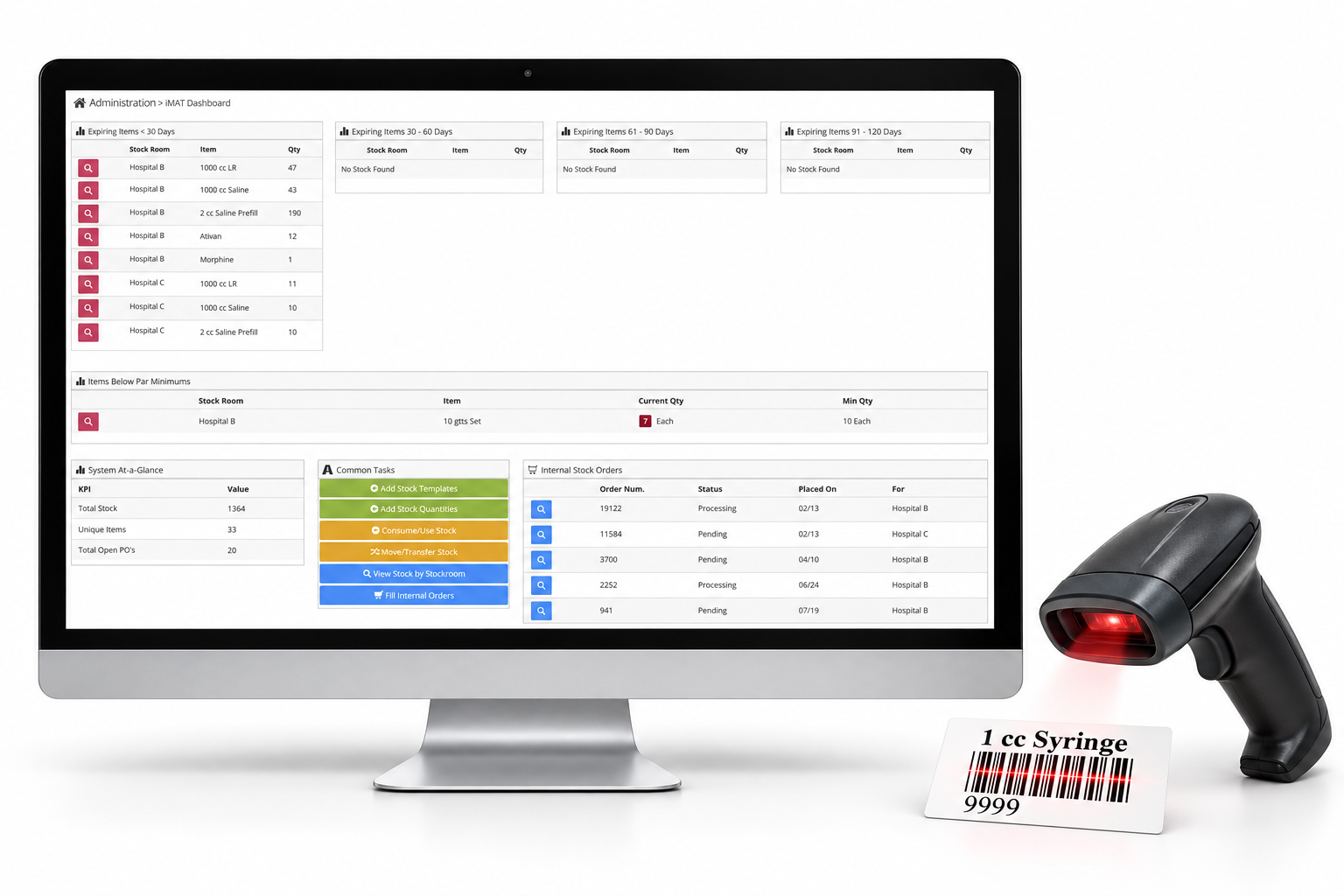
VAIRKKO Inventory supports supply tracking, barcode scanning, alerts and purchase orders. These tools help your team organize inventory information, identify items needing attention and support a more consistent ordering process. Get ahead of your next supply shortage. Book a demo to explore VAIRKKO Inventory.