
VAIRKKO Scheduling
Build rotations. Fill shifts. Stay in sync.
Simplify EMS and fire scheduling with flexible rotations, open-shift bidding based on roles and certifications, and customizable approvals.
Shift Pickups
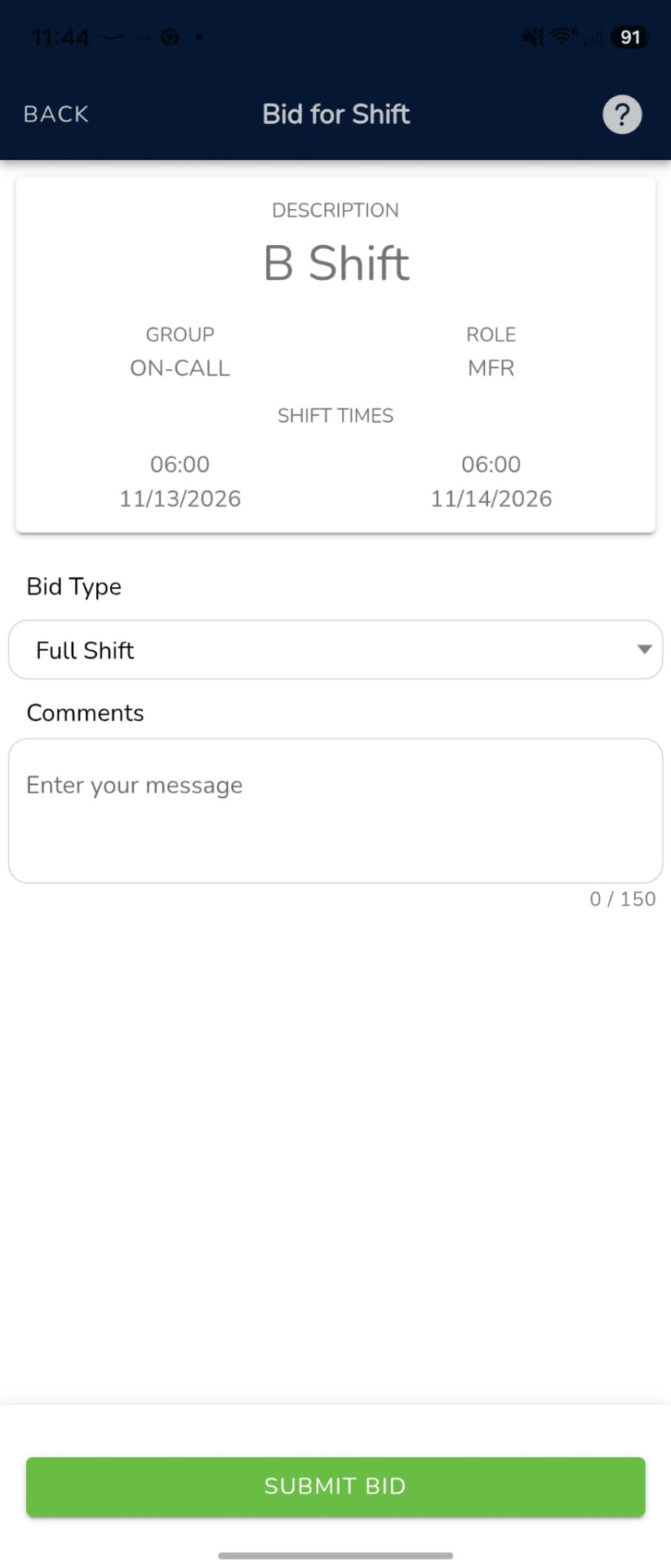
- Self-service pickups with role and certification checks.
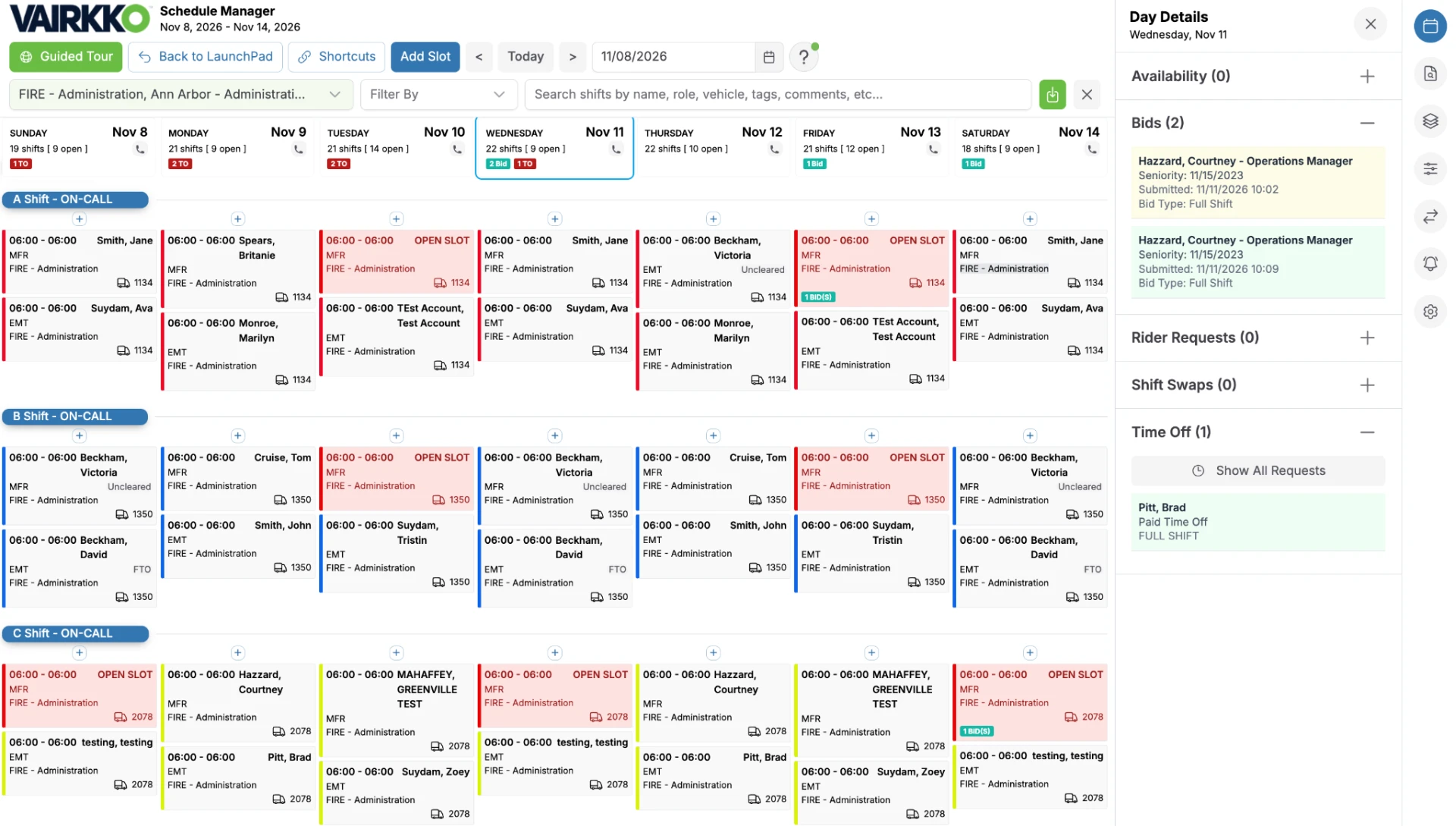
- Instant fill or admin-approved bidding options.
- Drag-and-drop approvals.
Trades & Swaps
- Staff self-service shift trades and swaps.
- Automatic approval options.
- Customizable swap rules.
- Automatic validation of shift qualifications.
Time Off
- Staff self-service or admin-initiated requests.
- Flexible shift replacement options.
- Automatic schedule updates.
- Customizable rules to match your time off policy.
- Unlimited time off types.
- Seamless integration with VAIRKKO payroll.
- Time off banks and accrual options.
Attendance
- Track late arrivals, call-offs, early departures and missed punches.
- Custom attendance categories for your policies.
- Flag time-off codes and punches for review.
- Connected to employee schedules.
- Employee attendance history.
- Threshold alerts to designated staff.
- Attendance trend reporting.
Availability
- Staff self-service availability submissions.
- Fill shifts based on staff availability.
- Automatic scheduling options.
- Customizable availability time frames.
Schedule Editors
- Daily, weekly, monthly, and availability editors.
- Drag-and-drop schedule editing.
- Fully customizable to your organization.
- Connected pickups, trades, and time off.
- Bulk editing and page-out options for open shifts.
- Saved filters for quick access.
- Third rider scheduling.
Scheduling Patterns
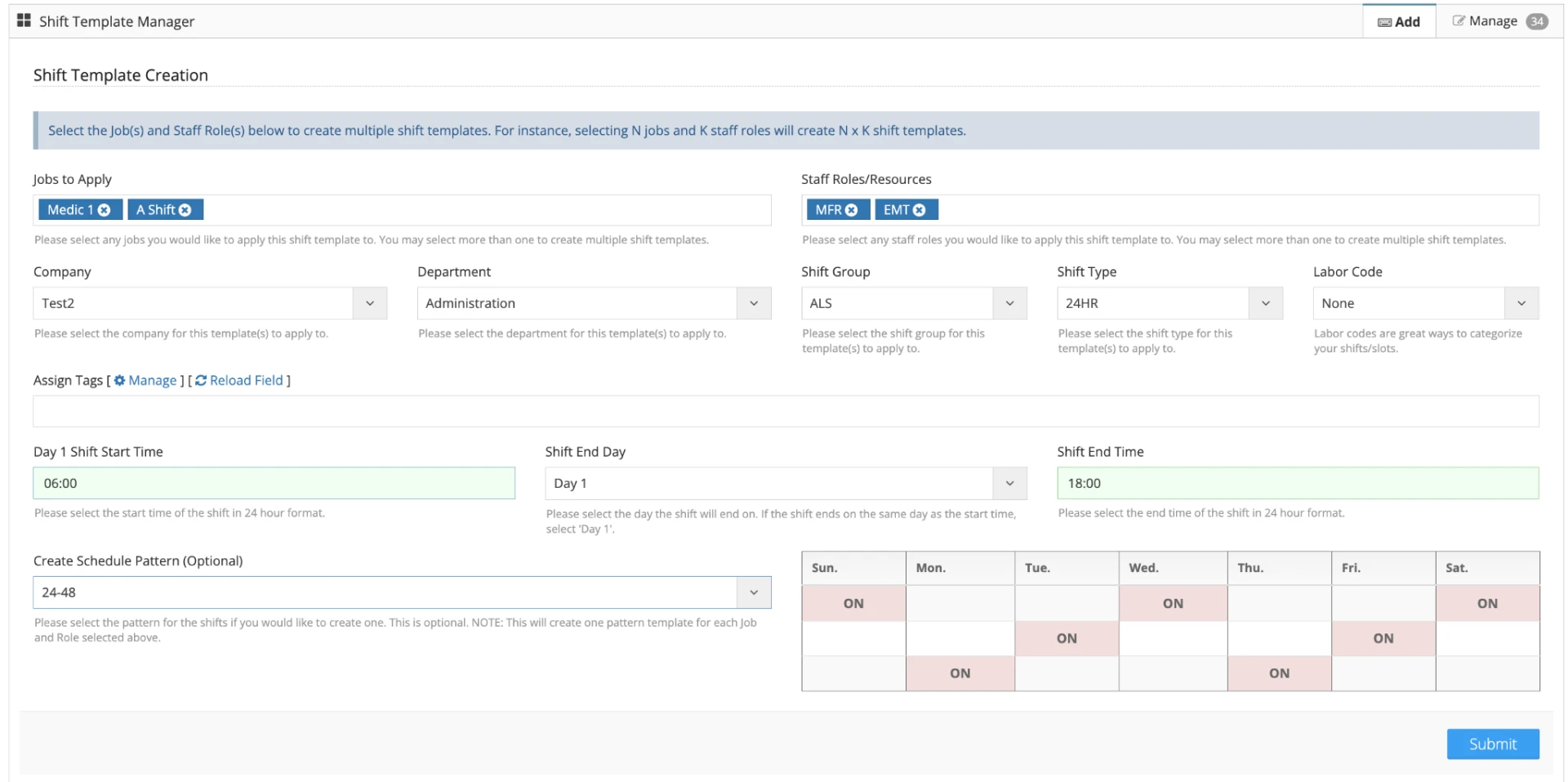
- Unlimited scheduling patterns.
- Assign patterns to staff or open shifts.
- Role-based workload configuration.
- Create open shifts from patterns.
- Works with certifications and job titles.
- Flexible pattern swapping, replacement, and partnering.
Events Calendar
- Publish events to selected groups.
- Add custom event fields.
- User and public website registration options.
- Automatic event reminders.
- Set maximum registration limits.
Schedule Sync
- Sync your work schedule with your personal calendars.
- Works with Apple, Google, Outlook, and Yahoo calendars.
- Step-by-step setup instructions in the app.
- Personal calendar link you can copy in one tap.
- Stay organized and ready for every shift.
Works with your other VAIRKKO modules
- Certifications
Check whether an employee holds the credentials required for a shift pickup.
Explore - Personnel Management
Manage employee records in Personnel, then staff shifts around the roles you need.
Explore - Time & Payroll
Review scheduled shifts alongside timecards before preparing payroll exports.
Explore
See a 24/48 rotation on the schedule
Each platoon works 24 hours and then has 48 hours off. Stagger the start dates so one platoon covers each day.
| Platoon | Mon | Tue | Wed | Thu | Fri | Sat | Sun |
|---|---|---|---|---|---|---|---|
| Platoon A | On | Off | Off | On | Off | Off | On |
| Platoon B | Off | On | Off | Off | On | Off | Off |
| Platoon C | Off | Off | On | Off | Off | On | Off |
Illustrative rotation · Each “On” cell represents one 24-hour shift.
How a trade works
- 1EmployeePropose a trade
- 2CoworkerAccept the trade
- 3SchedulerReview if approval is required
How a time-off request works
- 1EmployeeSubmit a time-off request
- 2SchedulerReview scheduled coverage
- 3SchedulerApprove or deny the request
How attendance review works
- 1VAIRKKOFlag selected time-off codes or punch records
- 2AdminReview the flagged record
- 3AdminApply an attendance event if appropriate
How availability works
- 1EmployeeEnter when you can work
- 2SchedulerCheck availability
- 3SchedulerAssign the shift
How schedule editing works
- 1SchedulerOpen the schedule
- 2SchedulerUpdate assignments or open slots
- 3SchedulerPublish for staff to view
How scheduling patterns work
- 1SchedulerSet up the rotation
- 2VAIRKKOGenerate shifts from the pattern
- 3SchedulerReview coverage and publish
How the events calendar works
- 1AdminAdd an event
- 2AdminSet the date and details
- 3StaffView it on the events calendar
How Schedule Sync works
- 1EmployeeOpen Schedule Sync
- 2EmployeeConnect your calendar
- 3EmployeeView work shifts alongside other events